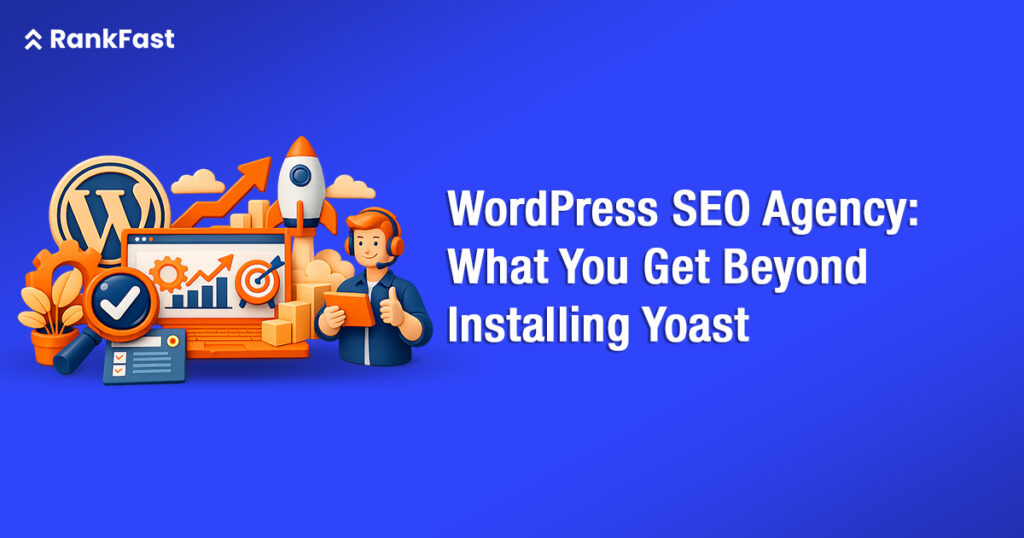
Most founders believe they have WordPress SEO covered the moment Yoast turns green. It is a reasonable assumption. The plugin is installed on over 13 million websites, its traffic-light interface feels authoritative, and it handles a genuine slice of on-page work. But Yoast is a checklist tool. It does not audit your server response times, diagnose crawl budget waste, fix render-blocking JavaScript, or engineer the internal link architecture that channels authority to your highest-value pages. Those tasks require a skilled human practitioner and a structured process.
What separates a capable WordPress SEO agency from a plugin is not effort or price. It is scope. The technical surface area of a WordPress site has expanded considerably since the Core Web Vitals rollout in 2021, the Helpful Content updates of 2022 through 2024, and Google’s continued integration of AI Overviews through 2025 and into 2026. A founder who treats Yoast as the full solution is leaving a significant portion of their organic potential uncaptured.
This guide details exactly what a qualified WordPress SEO agency delivers that plugins cannot, framed around the technical layers that directly affect your rankings, crawlability, and conversion rate in 2026.
Key Takeaways
- Yoast handles meta fields; it does not fix Core Web Vitals, crawl budget, or schema architecture.
- WordPress technical SEO — including render-blocking scripts, database optimization, and server-level caching — requires manual engineering, not plugin settings.
- Site speed on WordPress directly correlates with ranking and conversion. A 1-second delay reduces conversions by up to 7%.
- A qualified WordPress SEO expert audits crawl coverage, fixes indexation errors, and builds internal link structures aligned to your keyword priority map.
- AI Overview visibility in 2026 demands structured data, entity-level content authority, and clean semantic HTML — none of which Yoast configures automatically.
What Yoast Actually Does (and Where It Stops)
Understanding the boundary of plugin capability is the starting point for any honest evaluation of your WordPress SEO stack.
The Plugin’s Real Scope
Yoast SEO handles title tag and meta description templating, canonical URL configuration, XML sitemap generation, basic breadcrumb markup, and readability scoring. These are legitimate and useful functions. According to Ahrefs’ technical SEO survey (2023), misconfigured meta titles and missing canonical tags remain among the top five crawling issues found on audited sites. Yoast reduces the likelihood of those specific errors.
Where the Plugin Cannot Reach
The plugin operates at the content layer. It has no access to your hosting environment, PHP configuration, database query performance, or JavaScript execution order. It cannot identify whether Googlebot is spending its crawl budget on low-value paginated archives instead of your core product pages. It cannot measure the Largest Contentful Paint delay caused by an unoptimized header image loaded above the fold. It does not evaluate whether your internal link structure dilutes PageRank across hundreds of orphaned posts.
These are the gaps that a WordPress SEO agency closes. They require access to server logs, Google Search Console data, and often direct WordPress database queries to diagnose accurately.
Core Web Vitals: The Technical Layer Plugins Cannot Configure
Google confirmed Core Web Vitals as a ranking signal in its Page Experience update, and the metrics continue to carry weight into 2026. Passing thresholds require server-side and code-level intervention.
Largest Contentful Paint (LCP)
LCP measures how long it takes for the largest visible element in the viewport to render. Google’s threshold is under 2.5 seconds. On WordPress, LCP failures most commonly trace to unoptimized hero images (missing width/height attributes, no preload hint), slow hosting with high Time to First Byte (TTFB), and theme files that load render-blocking CSS before the critical path. Fixing LCP requires editing functions.php, configuring a CDN origin, and often changing your hosting stack. Yoast does none of this.
Cumulative Layout Shift (CLS) and Interaction to Next Paint (INP)
CLS failures on WordPress are predominantly caused by ad slots, embeds, and lazy-loaded images without reserved dimensions. INP, which replaced First Input Delay as a Core Web Vitals metric in March 2024, measures responsiveness to all user interactions throughout the page lifecycle. According to the HTTP Archive Web Almanac 2024, over 40% of mobile pages still fail INP thresholds. Diagnosing and correcting these issues requires JavaScript profiling in Chrome DevTools and targeted code changes to theme or plugin files.
What Agency Engineers Actually Do
A WordPress SEO agency deploys a structured Core Web Vitals remediation process: lab testing with Lighthouse, field data validation via CrUX, TTFB measurement at origin and edge, JavaScript execution profiling, and image delivery pipeline optimization through a CDN. Each failing element is traced to a specific file or configuration and corrected directly.
WordPress Site Speed: Why It Affects More Than User Experience
Site speed on WordPress functions as both a direct ranking factor and a conversion driver. The two effects compound, making it one of the highest-return areas of WordPress SEO services.
The Revenue Case for Speed Optimization
Akamai’s performance research found that a 100ms delay in load time can reduce conversion rates by 7%. For a startup generating $50,000 in monthly organic revenue, a 1-second improvement in load time is not a cosmetic fix. It is a measurable revenue variable. Google’s own data, published via Think with Google, shows that as page load time increases from 1 to 3 seconds, the probability of a bounce increases by 32%.
WordPress-Specific Speed Bottlenecks
WordPress speed problems follow predictable patterns: unoptimized database tables with accumulated post revisions and transients, theme frameworks that load full asset libraries regardless of which features are active, plugins that register JavaScript on every page regardless of context, and shared hosting environments with insufficient PHP workers.
A qualified WordPress SEO expert approaches speed in layers: hosting environment assessment, PHP version and configuration review, database query profiling using the Query Monitor plugin, asset delivery optimization via lazy loading and deferred scripts, and CDN configuration with proper cache-control headers.
Speed Optimization: Plugin vs Agency Scope
| Area | Caching Plugin | WordPress SEO Agency |
| TTFB | Partial (page cache only) | Full (hosting + CDN + origin config) |
| Image Delivery | Basic compression | WebP conversion, CDN, lazy load, dimensions |
| JavaScript | Minification only | Execution profiling, defer, async, removal |
| Database | Not addressed | Query profiling, revision cleanup, transients |
| PHP Config | Not addressed | PHP workers, memory limit, OPcache settings |
WordPress Technical SEO: Crawl Budget, Indexation, and Architecture
For founders scaling content or product pages, WordPress technical SEO at the crawl and indexation layer becomes the decisive factor in how efficiently Google discovers and ranks new pages.
Crawl Budget Management
Google’s Crawl Budget documentation explains that crawl budget is the number of URLs Googlebot can and wants to crawl on your site within a given timeframe. On WordPress sites, crawl budget is routinely diluted by: tag and category archive pages generating thousands of thin URLs, paginated comment threads, faceted navigation without noindex or parameter handling, and duplicate content created by date-based archives.
A WordPress SEO agency audits server logs to map Googlebot’s actual crawl patterns, identifies URLs consuming budget without ranking potential, and implements targeted noindex rules and robots.txt disallows. This is not a plugin task.
Indexation Quality Control
According to Google Search Central data reviewed in Q1 2025, indexation errors including ‘Crawled – currently not indexed’ and ‘Discovered – currently not indexed’ are among the most common issues affecting WordPress sites growing beyond 500 pages. These errors indicate Googlebot found the URLs but chose not to index them, often because of thin content signals, slow page speed, or poor internal linking.
Information Architecture and Internal Linking
Internal link structure is one of the most underengineered elements on WordPress sites. The default WordPress architecture distributes internal links primarily through navigation menus and recent post widgets, which provides minimal topical clustering signal. A WordPress SEO agency builds a deliberate internal link map that routes PageRank toward commercial intent pages, creates topical clusters that establish authority in specific subject areas, and ensures that every published piece of content receives at least one contextual internal link from a higher-authority page.
Schema Markup and Structured Data: Beyond What Yoast Generates
Yoast generates basic Article, BreadcrumbList, and WebSite schema automatically. In 2026, with AI Overviews sourcing from structured data to populate featured answers, that baseline is no longer sufficient.
Schema Types That Require Manual Implementation
Depending on your business model, a qualified WordPress SEO expert will implement schema types including: HowTo for process-based content, FAQPage for question-targeting pages, Product and Offer for ecommerce or SaaS pricing pages, LocalBusiness for location-specific services, and SpeakableSpecification for voice and AI search readability. Each of these requires custom JSON-LD that accurately reflects your specific content, linked entities, and business attributes. They cannot be auto-generated by a plugin without manual configuration.
Entity Authority and Knowledge Graph Alignment
Google’s knowledge graph uses named entities to build topical authority assessments. For a startup, establishing entity associations in structured data, About pages, and author profiles contributes to E-E-A-T signals. Google’s Search Quality Evaluator Guidelines explicitly link expertise, authoritativeness, and trustworthiness to entity-level signals. A WordPress SEO agency integrates these signals systematically across the site architecture, not just on individual posts.
B2B Buyers Choose Confidence,
Not Your Ad Campaign
By the time a serious B2B client reaches out, they have already checked your website, read your content, and formed an opinion about you. The decision is mostly made before the sales call even happens. That is why chasing clicks and traffic alone will never build real demand. We treat SEO as reputation building across Google, content, and the moments where decisions actually get made. Show proof, show clarity, stay consistent, and the right clients will come to you already convinced.
Start ConvertingHow to Evaluate a WordPress SEO Agency Before You Sign
Not all agencies that call themselves WordPress specialists operate at the technical depth this work requires. Founders evaluating options need a concrete assessment framework.
Technical Audit Depth
Ask any prospective agency to describe their audit methodology. A credible WordPress SEO agency will reference server log analysis, crawl simulation using tools like Screaming Frog or Sitebulb, Core Web Vitals field data from CrUX, database query profiling, and structured data validation using Google’s Rich Results Test. If their audit is limited to a Yoast configuration review and keyword density check, that is a signal of limited technical depth.
Deliverables and Reporting Standards
Agencies like Rankfast, which operate across multiple verticals, typically segment technical SEO deliverables into three tiers: immediate fixes with measurable impact on Core Web Vitals or crawlability, architectural recommendations requiring development resource, and ongoing monitoring cadences for indexation coverage and speed regression. This tiering prevents technical backlogs from stalling campaign momentum.
Integration with Your Development Workflow
WordPress technical SEO often requires direct access to theme files, the functions.php file, and occasionally the hosting control panel or server configuration. Confirm that the agency has a clear protocol for how code changes are reviewed, staged, and deployed. Agencies without a staging environment workflow introduce production risk.
The Ongoing WordPress SEO Services Model: What Retainer Work Includes
One-time audits identify problems. Ongoing WordPress SEO services maintain and compound the gains. Understanding what a retainer covers helps founders assess value versus cost accurately.
Monthly Technical Monitoring
A structured retainer includes monthly crawl analysis to catch newly broken internal links, indexation drops, or new pages excluded from the sitemap. According to Semrush’s State of Search 2024 report, sites that monitor crawl health monthly detect and resolve indexation issues 3.4 times faster than those relying on periodic audits. Speed regression monitoring catches caching failures or new plugin conflicts before they accumulate ranking damage.
Content Performance Engineering
Content performance in WordPress SEO is not limited to writing quality posts. It includes identifying which published pages are losing ranking positions due to content freshness decay, optimizing internal anchor text distribution as new content is published, and updating schema markup when content structures change. This ongoing editorial-technical integration is where WordPress SEO compounds over time.
Typical WordPress SEO Retainer Scope by Month
| Activity | One-Time Audit | Monthly Retainer |
| Technical audit | Full initial audit | Regression monitoring |
| Core Web Vitals | Baseline report | Field + lab tracking, fix deployment |
| Schema markup | Implementation plan | New pages, schema updates, validation |
| Internal linking | Architecture map | Monthly link-building as content scales |
| Content optimization | Prioritization list | Refresh schedule, ranking trend monitoring |
| Reporting | Findings document | Monthly dashboard with GSC, CrUX, ranking data |
AI Overviews and AEO: The 2026 Layer Yoast Cannot Address
Google AI Overviews, which launched in May 2024 and expanded through 2025 and into Q1 2026, fundamentally changed how structured content competes for visibility at position zero. Winning AI Overview placements requires WordPress technical SEO decisions that intersect with content architecture.
Direct Answer Optimization
Google’s AI Overview system surfaces content that provides clear, factual, directly structured answers within the first 100 words of a section. On WordPress, this means configuring content templates that open H2 sections with a concise definition or answer before expanding into supporting detail. This is an editorial-structural discipline enforced at the template level, not a plugin setting.
Semantic HTML and Heading Hierarchy
AI crawlers and Google’s structured data extractors depend on clean heading hierarchy and semantic HTML elements to parse content structure. Many WordPress themes output heading tags inconsistently, wrapping widget titles in H2 or H3 tags that disrupt the document outline. A WordPress SEO expert audits theme template files and enforces correct heading hierarchy across post types, taxonomy pages, and custom page templates. This is a code-level fix, not a content edit.
Conclusion
Yoast solves a narrow, well-defined problem: populating meta fields and generating an XML sitemap. It does not engineer the technical infrastructure that determines whether your WordPress site can efficiently compete for organic visibility in 2026. Core Web Vitals, crawl budget architecture, structured data implementation, site speed at the server level, and internal link engineering are all outside the plugin’s scope.
For founders treating organic search as a primary growth channel, the gap between plugin-level SEO and agency-level WordPress SEO services is not a nuance. It is the difference between a site that technically functions and a site that is structurally engineered to rank, be discovered by AI systems, and convert the traffic it earns.
The right question is not whether you need a WordPress SEO agency versus a plugin. It is whether the technical infrastructure of your site is currently limiting your organic potential, and what it would cost to close that gap relative to the revenue it unlocks. A structured technical audit is the clearest starting point.
Frequently Asked Questions
Answers to the most common questions founders ask when evaluating WordPress SEO services.
How long does WordPress technical SEO take to show results?
Technical fixes like Core Web Vitals remediation and crawl budget corrections typically produce measurable improvements in Google Search Console data within 4 to 8 weeks of implementation, following Googlebot's next full crawl cycle. Content optimization and internal linking compound over 3 to 6 months as Google re-evaluates page authority. Schema markup improvements can generate rich result eligibility faster, sometimes within 2 to 3 weeks of validation passing in the Rich Results Test.
Is Yoast SEO sufficient for a startup with under 200 pages?
Yoast handles baseline meta and sitemap tasks adequately for small sites with minimal technical complexity. However, even startups with under 200 pages frequently have Core Web Vitals issues, suboptimal hosting TTFB, and no deliberate internal link structure, none of which Yoast addresses. If organic search is a primary acquisition channel, investing in a technical audit early prevents compounding structural problems that become more expensive to fix at scale.
What is WordPress site speed optimization and why does it affect rankings?
WordPress site speed optimization is the process of reducing page load time through hosting configuration, image delivery optimization, JavaScript and CSS asset management, database cleanup, and CDN implementation. Google uses Core Web Vitals as a ranking signal, and faster pages rank more easily in competitive queries. Additionally, faster load times reduce bounce rates and improve conversion, making speed one of the highest-leverage technical investments in the WordPress SEO stack.
How do I know if my WordPress site has crawl budget problems?
Crawl budget problems surface in Google Search Console as large volumes of 'Crawled - currently not indexed' URLs, or as important pages with infrequent crawl dates in the URL Inspection tool. Server log analysis provides the most granular view, showing exactly which URLs Googlebot is visiting and how frequently. High volumes of paginated archive, tag, or parameter-based URLs consuming crawl budget at the expense of core commercial pages are the most common crawl waste pattern on WordPress.
What should I look for in a WordPress SEO expert?
A credible WordPress SEO expert should demonstrate proficiency in server log analysis, Core Web Vitals diagnostics, PHP and WordPress theme architecture, structured data implementation via JSON-LD, and Google Search Console's Index Coverage and Page Experience reports. Ask for examples of technical audit deliverables and case studies showing indexation or Core Web Vitals improvements. Avoid specialists whose methodology is primarily content-focused with no evidence of server-level or code-level technical work.
How much does a WordPress SEO agency cost?
WordPress SEO agency retainers typically range from $1,500 to $8,000 per month depending on site size, technical complexity, content volume, and deliverable scope. Project-based technical audits for sites under 1,000 pages commonly range from $2,000 to $5,000. Founders should evaluate cost against the revenue potential unlocked by improved rankings and conversion rates, rather than comparing agency fees to plugin subscription costs, which address a fundamentally different scope of work.
Does WordPress SEO agency work include content writing?
This varies by agency. Technical WordPress SEO agencies focus on infrastructure, architecture, and code-level optimization. Full-service agencies integrate content strategy, writing, and technical SEO. For founders, the decision point is whether organic content production is already resourced internally. If it is, a technical-only agency engagement is often the more cost-efficient path. If content creation is also a gap, a full-service WordPress SEO agency that manages both is worth evaluating.
Can a WordPress SEO agency help with WooCommerce or membership sites?
Yes. WooCommerce and membership platforms built on WordPress introduce additional technical SEO complexity: faceted navigation generating duplicate product URL variants, gated content with session-based URL parameters that confuse crawlers, and large product catalogs requiring careful crawl prioritization. A WordPress SEO agency with platform-specific experience addresses these patterns through parameter handling in Search Console, canonical configuration, and structured data specific to Product and Offer schema types.
How does WordPress technical SEO differ from general SEO?
General SEO principles apply universally: relevance, authority, and technical accessibility. WordPress technical SEO refers specifically to the implementation layer unique to the platform: PHP configuration, the WP_Query database query structure, hook-based asset loading through wp_enqueue_scripts, theme template hierarchy, and plugin interaction complexity. A generalist SEO practitioner may not have the platform-specific depth to diagnose a query performance issue caused by a poorly optimized WP_Query loop or a theme that enqueues full Slick.js on every page regardless of need.